Inspect filesystem operations with fs_usage in macOS
hey Unless you disable SIP, most of DTrace based functionality is missing in recent macOS versions.
Thankfully, there are still low level native utilities like fs_usage!
When run without any parameters, it will report all the filesystem operations in real time.
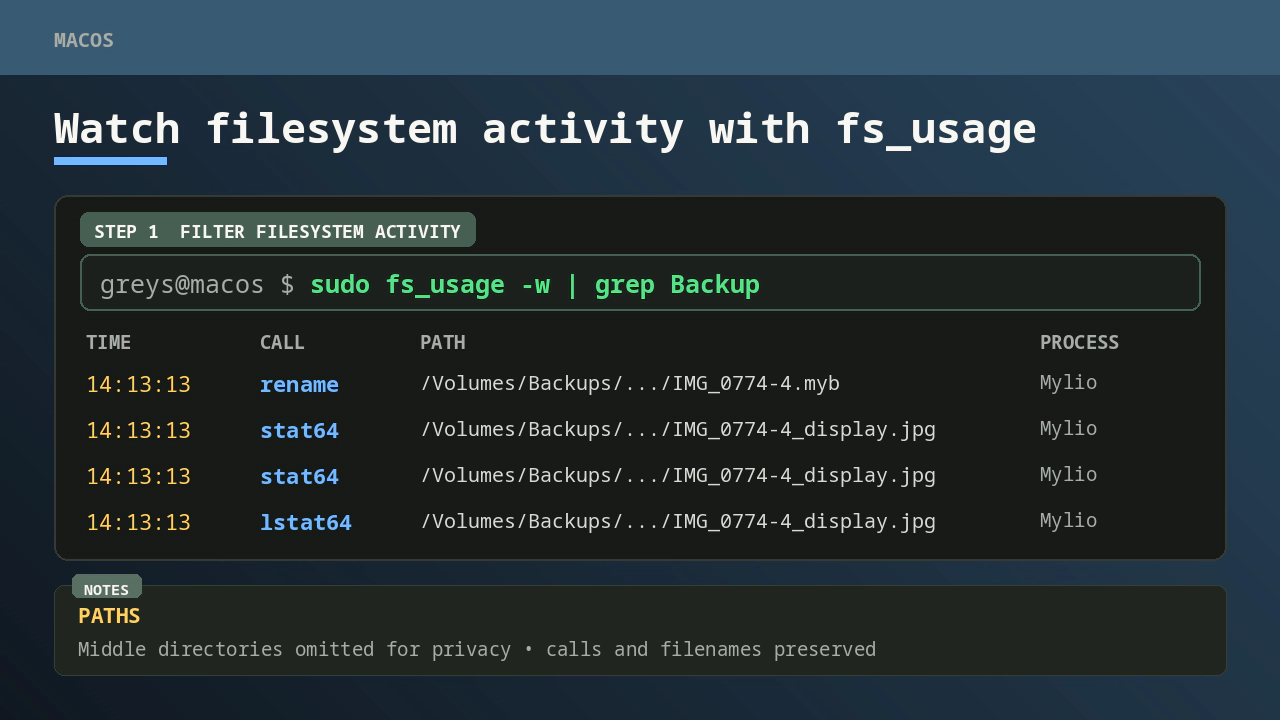
In my case I needed to see what a particular process called was doing with the /Volumes/Backups filesystem, so I did a grep:
$ sudo fs_usage -w | grep Backup
14:13:13.157247  rename            /Volumes/Backups/Mylio_e6c781/Apple Photos/mcfly Library/IMG_0774-4.myb              0.000082   Mylio.2904716
14:13:13.157255  stat64            /Volumes/Backups/Mylio_e6c781/Apple Photos/mcfly Library/IMG_0774-4_display.jpg      0.000005   Mylio.2904716
14:13:13.157284  stat64            /Volumes/Backups/Mylio_e6c781/Apple Photos/mcfly Library/IMG_0774-4_display.jpg      0.000002   Mylio.2904716
14:13:13.157292  stat64    [  2]   /Volumes/Backups/Mylio_e6c781/Apple Photos/IMG_0774-4_display.jpg                    0.000009   Mylio.2904716
14:13:13.157295  stat64            /Volumes/Backups/Mylio_e6c781/Apple Photos/mcfly Library/IMG_0774-4_display.jpg      0.000002   Mylio.2904716
14:13:13.157297  stat64    [  2]   /Volumes/Backups/Mylio_e6c781/Apple Photos/IMG_0774-4_display.jpg                    0.000001   Mylio.2904716
14:13:13.157300  lstat64   [  2]   /Volumes/Backups/Mylio_e6c781/Apple Photos/IMG_0774-4_display.jpg                    0.000001   Mylio.2904716
14:13:13.157381  rename            /Volumes/Backups/Mylio_e6c781/Apple Photos/mcfly Library/IMG_0774-4_display.jpg      0.000081   Mylio.2904716
Description of the fields in this output:
- timestamp
- system call - this explains what operation is done to the file
- filename
- lapsed time
- process name